
What to Include in a Catalog Printing Quote Request for Faster, More Accurate Estimates
A great print project can lose time, money, and momentum long before it reaches the press. In commercial printing, many delays happen at the file stage: missing bleeds, low-resolution images, incorrect colors, broken fonts, or artwork built to the wrong size. These issues may seem small on screen, but they can create serious production problems once a job moves into proofing, plating, finishing, mailing, or fulfillment.
If you want polished printed materials and a smoother production schedule, preparing accurate print-ready files for commercial printing is one of the most important steps you can take. Whether you are ordering brochures, catalogs, newsletters, annual reports, fundraising materials, direct mail pieces, or large-format graphics, a strong setup process helps protect your brand and reduce avoidable back-and-forth.
This guide explains the essentials of file setup for printing, highlights the most common mistakes, and provides a practical commercial print file checklist you can use before submitting artwork. The goal is simple: help you avoid printing errors, keep your project on track, and get better results from your commercial printing services partner.
What “print-ready” really means
A print-ready file is not just a finished design. It is a file built specifically for press production, trimming, folding, binding, and finishing. It contains the technical settings a printer needs to reproduce your piece accurately and efficiently.
For most projects, print-ready files for commercial printing should include:
- The correct final trim size
- Proper bleed beyond the trim edge
- A safe margin for text and logos
- High-resolution images
- Appropriate color settings for print
- Embedded or outlined fonts where required
- Properly exported PDF settings
- Clear page order and file naming
In other words, print-ready means the file is ready for production, not just approval. A design can look excellent on a laptop and still fail in print if those production details are missing.
Why file preparation matters so much in commercial printing
Commercial printing involves more than putting ink on paper. Your files affect prepress review, proofing, press setup, finishing, mailing accuracy, and delivery timing. If a file needs repairs after submission, the project may pause while approvals are updated or corrected art is supplied.
That can be especially costly for time-sensitive projects such as:
- Direct mail printing with scheduled in-home dates
- Corporate printing for events, launches, or sales meetings
- Nonprofit printing tied to campaign calendars
- Fundraising printing coordinated with donor outreach
- Catalog printing with seasonal deadlines
- Large-format printing for trade shows or retail displays
Good file setup for printing helps reduce production friction. It can also improve print quality, protect brand consistency, and prevent expensive reprints caused by preventable technical errors.
Start with the final printed piece, not the design software
One of the smartest ways to avoid printing errors is to think through the physical piece before building the file. Ask what the printed item needs to do in the real world.
For example:
- Will the brochure be folded? Panel sizes may need adjustment.
- Will the booklet be saddle stitched or perfect bound? Page count and creep may matter.
- Will the postcard be mailed? Address areas and postal requirements may affect layout.
- Will the banner be viewed from across a room? Image choice and scale become critical.
- Will the annual report use tabs, inserts, or special coatings? File setup may need to account for finishing.
Designing with the end use in mind helps you create files that support production instead of fighting it. This is especially important for recurring campaigns, distributed marketing materials, and multi-part jobs involving printing fulfillment, kitting, warehousing, or mailing preparation.
Set the document to the correct trim size
Your document size should match the final trimmed size of the printed piece, not the sheet size it will print on. A brochure that finishes at 8.5 by 11 inches should be built at that trim size, with bleed added separately. The same principle applies to postcards, business cards, newsletters, posters, and catalog pages.
Using the wrong document dimensions can cause scaling problems, misaligned folds, and inaccurate placement of critical elements. If your project has multiple components, such as envelopes, inserts, reply cards, or mailing panels, make sure each file matches the exact specifications for that item.
When in doubt, ask your commercial printing services provider for a template. A printer-supplied template can be especially useful for pocket folders, direct mail pieces, multi-panel brochures, custom packaging, and large-format printing projects with finishing requirements.

Understand bleed, trim, and safe area
These three concepts are at the heart of reliable file setup for printing.
Bleed
Bleed is extra artwork that extends beyond the trim edge. It prevents thin white slivers from appearing if the paper shifts slightly during trimming. Any background color, image, or graphic that touches the edge of the page should extend past the trim line.
Trim
The trim line is where the finished piece is cut to final size. Even in well-controlled production, trimming has tolerances. Files should be built to accommodate that reality.
Safe area
The safe area is the margin inside the trim where important text, logos, and critical design elements should stay. Keeping essential content away from the edge reduces the risk of anything looking crowded or being trimmed too close.
Here is a quick comparison:
| Term | What it means | Why it matters |
|---|---|---|
| Bleed | Artwork extending past the trim edge | Prevents unwanted white edges after trimming |
| Trim | The final cut size of the printed piece | Defines the finished dimensions |
| Safe Area | Inner margin for critical text and logos | Helps protect readability and visual balance |
Many printing errors begin with confusion about these boundaries. A file may look aligned on screen but print poorly if the bleed is missing or the safe area is ignored.
Use high-resolution images
Low-resolution graphics are one of the most common reasons printed materials look unprofessional. Images copied from websites, social platforms, or office documents often do not have enough detail for press output. They may appear acceptable on a monitor but turn soft, pixelated, or jagged when printed.
As a general rule, images should be high enough resolution at the size they will print. Enlarging a small image inside your layout does not improve its quality. It only makes the quality problem more visible.
This matters across many applications:
- Product photos in catalog printing
- Donor imagery in nonprofit printing
- Team photos in corporate printing
- Logos on banners and signs in large-format printing
- Charts and graphics in annual reports and newsletters
Vector graphics are often best for logos, icons, and line art because they scale cleanly without losing sharpness. Raster images, such as photographs, need enough native resolution to print clearly at their final size.
Build for print color, not screen color
Color is another major source of surprises. Screens display color using light, while printing reproduces color with ink. That difference affects how bright, saturated, or vivid colors appear.
If a file is built only for screen viewing, colors that look intense on a monitor may print more muted. Brand colors can also shift if they are not specified correctly. For organizations that depend on a consistent visual identity, this is a serious issue.
To avoid printing errors related to color:
- Use print-appropriate color settings from the start
- Be careful with highly saturated screen colors that may not reproduce the same way in print
- Identify any brand-critical colors early
- Review proofs carefully before approval
If your project includes direct mail printing, fundraising printing, or corporate publications where consistency matters across multiple runs, discuss color expectations with your printer before final export.
Watch your fonts and typography
Fonts can create hidden file problems. If a typeface is missing, substituted, or not embedded correctly, your layout may reflow, text may overset, and line breaks may change. That can affect everything from a business card to a catalog spread.
To reduce font-related issues:
- Use licensed, reliable fonts
- Embed fonts when exporting if the workflow supports it
- Outline type when appropriate and approved
- Check for hidden overset text and unintended style overrides
- Proof small text carefully for readability
Thin rules, reversed type, and small text over complex backgrounds also deserve extra attention. What looks elegant on screen may become difficult to read in print, especially on uncoated stock or in pieces with heavy handling.
Set up pages correctly for binding and finishing
Not every print project should be submitted the same way. A single postcard file is different from a multi-page booklet, a folded self-mailer, or a large-format display panel. Understanding the finishing method can save significant time in prepress.
Booklets and multi-page documents
Unless your printer requests otherwise, submit pages as individual pages in correct reading order rather than building your own printer spreads. Commercial printers usually impose files according to press, paper, and bindery requirements.
Perfect-bound books and catalogs
For thicker pieces, the binding method affects the spine, margins, and crossover images. Content too close to the gutter may be harder to read or partially lost in the bind.
Folded brochures
Panels are not always equal widths. Roll folds, gate folds, and accordion folds may require special panel measurements to fold cleanly.
Direct mail pieces
Address zones, indicia placement, barcoding, tabbing, and postal layout rules can affect design decisions. This is where coordination between design and mailing preparation is especially valuable.
Projects tied to direct mail printing, bulk mailing, EDDM, or list-driven campaigns benefit from early production planning, not last-minute file fixes.
Use the right file format and export settings
PDF is commonly preferred for print because it preserves layout, fonts, and image placement more reliably than many native design files. But not every PDF is truly press-ready. Export settings matter.
A strong press PDF should generally:
- Preserve the document’s final dimensions
- Include bleed where needed
- Embed fonts when possible
- Maintain image quality
- Avoid unnecessary transparency issues or flattening problems
- Include only the marks your printer requests
Sending native files can sometimes be appropriate, especially in collaborative workflows involving revisions, versioning, or printer-assisted design support. But if you are supplying final art, ask what file format your printer prefers for that specific project.
Check overprints, transparency, and rich black
Some of the hardest printing errors to catch are technical settings that do not show obvious problems until output. Overprint settings can cause elements to disappear or blend unexpectedly. Transparency effects may behave differently depending on export settings and workflow. Large black areas may print better when built correctly for press rather than using a simple one-channel black.
You do not need to become a prepress specialist to catch every detail, but you do need to know these issues exist. If your piece uses layered effects, drop shadows, spot elements, or large solid dark areas, review the file carefully and consider a preflight check before submission.
Proofread for production, not just content
Most teams proofread for spelling, grammar, and brand messaging. That is important, but production proofing goes further. Before you approve final files, review the mechanics of the piece.

Look for:
- Correct page size and orientation
- Proper margins around text and logos
- Bleeds on all edge-touching graphics
- Image sharpness at final scale
- Consistent brand colors and logo usage
- Accurate folds, panel order, and page sequence
- Correct mailing information if applicable
- Contact details, dates, URLs, and legal copy
This is particularly important for recurring corporate printing, nonprofit printing, and fundraising printing projects where outdated phone numbers, old campaign dates, or incorrect reply devices can create expensive waste.
A practical commercial print file checklist
Use this commercial print file checklist before submitting artwork:
- Document is built to the correct final trim size
- Bleed is included where backgrounds or images run to the edge
- Important text and logos stay inside the safe area
- Images are high resolution at final printed size
- Logos and line art use vector format when possible
- Color settings are appropriate for print output
- Fonts are embedded, packaged, or outlined as needed
- Pages are supplied in the format requested for the binding method
- Folds, perforations, die lines, or finishing details are clearly identified
- Mail panel, indicia, and addressing zones are correct if mailing is involved
- File is exported as the preferred print-ready format
- File name is clear and versioned correctly
- Proofreading includes both content and production review
- Any special instructions are included with the submission
This kind of repeatable checklist is especially useful for marketing teams managing multiple locations, purchasing departments coordinating recurring orders, or organizations handling large campaign calendars.
Plan ahead for direct mail and fulfillment projects
Projects that include direct mail printing, list processing, addressing, sorting, kitting, shipping, or printing fulfillment have more moving parts than a standalone print job. That means file preparation should account for downstream handling, not just the printed sheet.
For example, a fundraising mailer may include a letter, reply device, envelope package, and variable data personalization. A product launch may involve printed collateral that must be kitted and shipped to multiple sales offices. A nonprofit appeal may need segmented versions for different donor lists.
In these situations, a dependable printing partner can help connect the artwork phase to production, mailing preparation, and distribution. That coordination reduces the risk of mismatched components, incorrect versioning, or last-minute changes that slow delivery.
When to involve your printer early
Many file problems can be prevented before design begins. Bringing your printer into the conversation early is wise when:
- The project has custom sizing or unusual folds
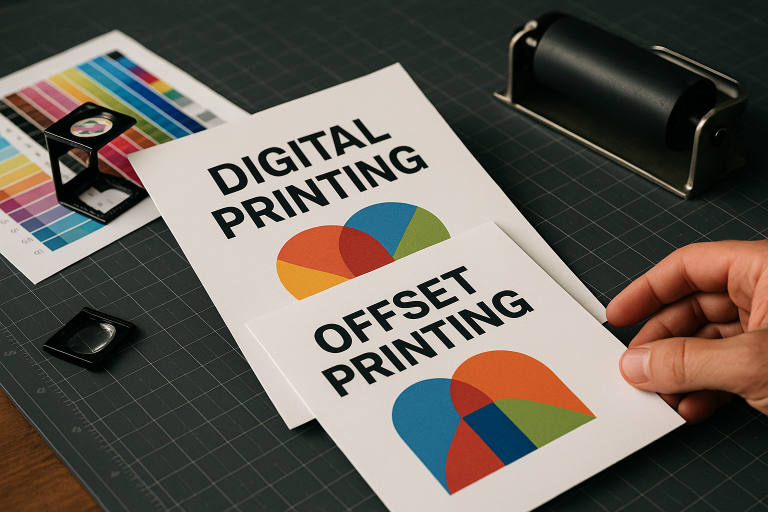
- The job combines offset and digital printing decisions
- You need guidance on paper, coatings, or finishing
- The piece will be mailed and must meet postal requirements
- The job includes variable data or multiple versions
- The project involves warehousing, inventory, or fulfillment
- You are producing a substantial or recurring campaign
An experienced printer can help you choose the right production path, identify setup issues before they become delays, and align your file strategy with the final business goal—whether that means equipping a sales team, supporting a fundraising effort, launching a catalog, or presenting a more professional brand image.
Why in-house production control can help
For complex projects, production control matters. When a commercial printer manages printing and finishing in-house, communication can be clearer and quality oversight can be more direct. That can be valuable for corporate publications, magazines, direct mail programs, annual reports, and large-format printing that requires careful color and finishing coordination.
It also means your file questions are more likely to be answered in the context of real production requirements, not generic assumptions. For buyers managing significant print investments, that practical expertise can make a meaningful difference.
Conclusion
Preparing print-ready files for commercial printing is one of the most effective ways to protect your timeline, your budget, and your brand presentation. The fundamentals are straightforward: build to the correct size, include bleed, respect safe areas, use high-quality images, set up color properly, manage fonts carefully, and export in the format your printer requests. Then proof the file not just as a design, but as a manufactured piece.
That disciplined approach helps you avoid printing errors, reduce production delays, and create printed materials that look polished in the hands of customers, donors, prospects, and stakeholders. Whether you are producing direct mail, catalogs, brochures, annual reports, fundraising materials, or large-format graphics, solid file setup for printing gives your project a stronger start and a smoother path to the finished result.


Related posts


